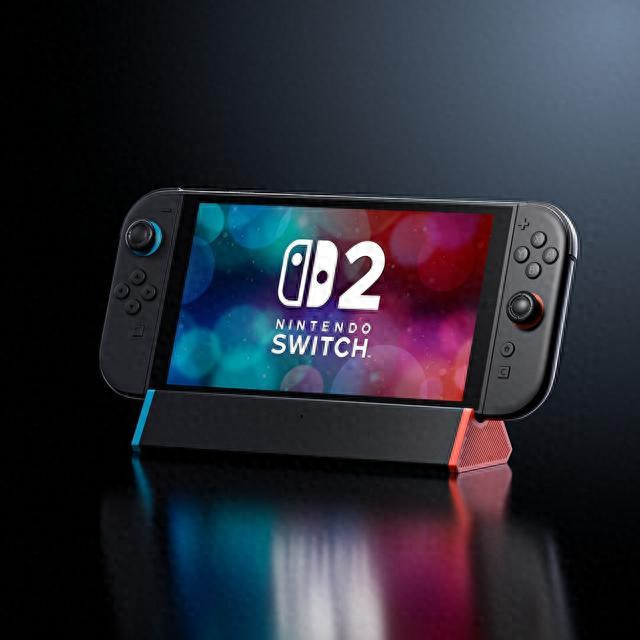
When the Switch 2 launch event was held, many people noticed that Nintendo specifically mentioned microSD Express in their presentation. However, at that time, many people didn't pay much attention to it. It wasn't until they actually got their hands on the new console and tried to use the old TF card from the first-generation Switch that they realized it wouldn't work. In fact, Nintendo had cleverly hidden a significant flaw in the new console. So, after buying the Switch 2, the most frequently asked question was "which memory card to buy for Switch." Before explaining the principles, let's put the conclusion first: Nintendo's Switch 2 only recognizes microSD cards with the Express logo, and ordinary UHS-I microSD cards cannot be used.
Choosing the Right Memory Card for Switch
As it is clearly stated on Nintendo's official website, the Nintendo Switch 2 can only use microSD cards with the microSD Express logo, and other storage cards, even if they are inserted into the console, cannot store or read downloaded software. However, most people are not aware of the difference between these two, so let's explain it in more detail. What does microSD Express mean?
Choosing the Right Memory Card for Switch
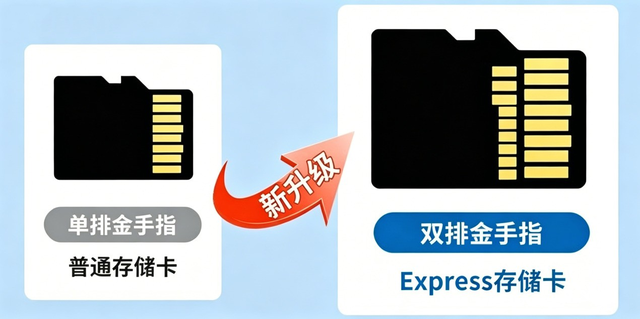
Ordinary microSD cards, including the ones used in the first-generation Switch for eight years, use the UHS parallel bus and have a theoretical ceiling of around 104MB/s. In practice, the stable read speed is around 90MB/s. On the other hand, microSD Express uses a different approach, directly running PCIe Gen3.0x1 and NVMe 1.3 protocols on the microSD card. In other words, it's like compressing a computer's NVMe solid-state drive into a TF card. The bandwidth is increased to 985MB/s, which is roughly ten times that of UHS-I. Physically, it has an additional row of pins, and when inserted into a compatible card slot, both rows work together to achieve PCIe high-speed mode. When inserted into an older device, the lower row of pins is idle, and it automatically downgrades to a regular UHS-I card.
Choosing the Right Memory Card for Switch
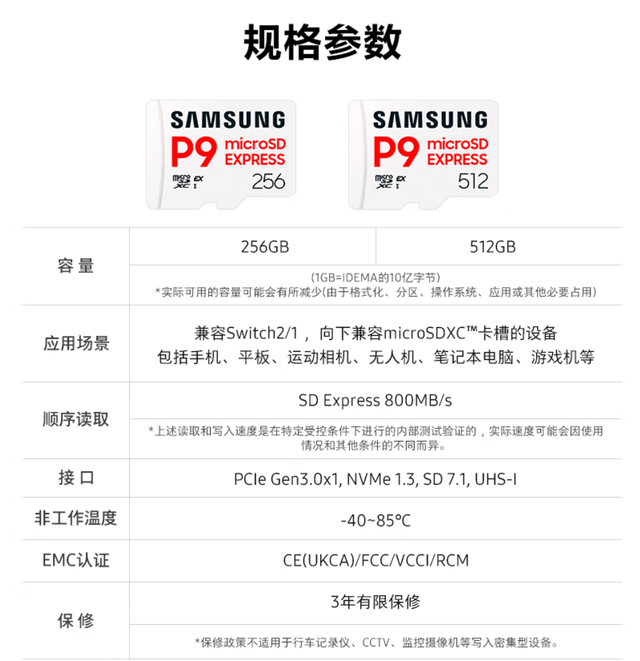
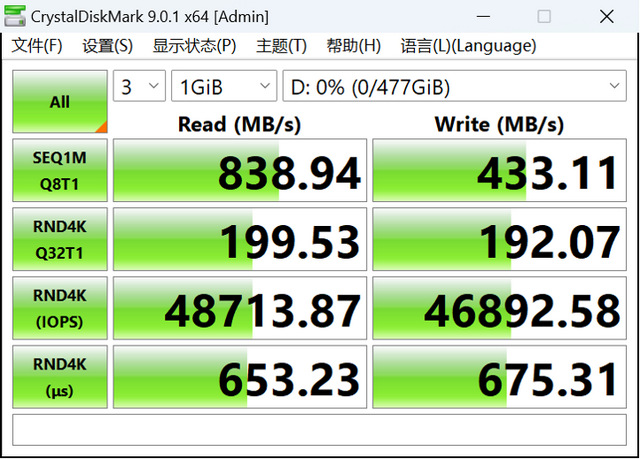
Currently available microSD Express cards include the Samsung microSD P9 Express solid-state storage card, which is one of the few products that offer a balance of performance and capacity. It comes in two specifications: 256GB and 512GB. In terms of speed, the official specifications claim a sequential read speed of 800MB/s, using Samsung's own V-NAND TLC particles and SM2708 controller.
Choosing the Right Memory Card for Switch
There is another technical detail worth mentioning. The Samsung microSD P9 Express solid-state storage card integrates the controller and NAND particles into the card itself, but it does not have a built-in DRAM cache. Instead, it relies on HMB technology, using the host system's memory as a cache to accelerate data access, which is also the reason why this small-sized card can achieve NVMe-level response times.
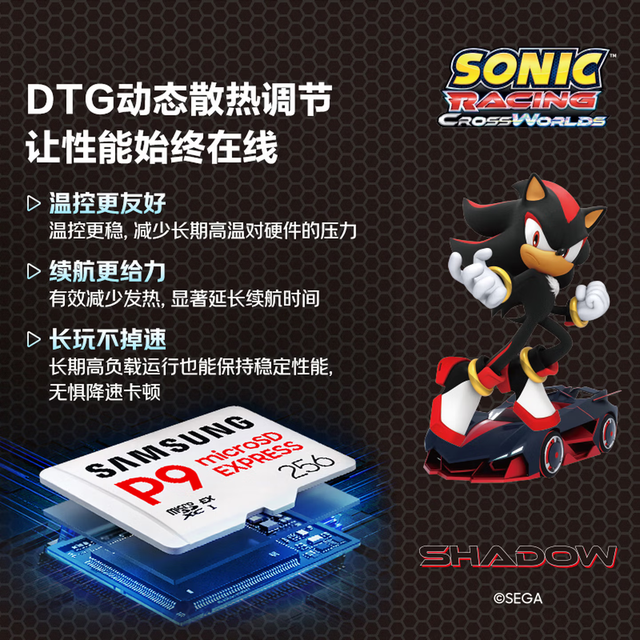
The Samsung microSD P9 Express solid-state storage card also has another detail worth mentioning: it has DTG dynamic thermal protection. Since the console is sealed after inserting the card, the Express card can generate significant heat when running at high speeds, which can lead to performance degradation over time. However, with DTG, it can maintain a suitable operating temperature even under high loads.
Choosing the Right Memory Card for Switch
Finally, let's talk about the question of how to choose a memory card for Switch in general. If you're buying a Switch 2, the first thing to look for is the package and the logo on the card, which should say "microSD Express." The second thing to consider is the capacity, which should be determined by the number of games you play. If you only play a few games and occasionally download small games, 256GB should be sufficient. However, if you're a digital enthusiast, especially if you've pre-ordered a bunch of downloaded games, it's best to go with 512GB, as digital games can easily exceed 50GB each.
Ultimately, the question of how to choose a memory card for Switch is not about who has the fastest one, but rather about not buying the wrong one. As the entry ticket for expanding the storage capacity of this generation of consoles, microSD Express is a must-have. Under this premise, when comparing grains, writing speeds, heat control, and warranty, a card like the Samsung microSD P9 Express solid-state storage card, which is transparent in its parameters, compatible with older devices, has heat control, and a three-year warranty, is a safe choice.